
Jetz App
Mobile App | Spare parts ordering platform
App enabling workshops to request spare parts, receive quotations and manage orders via chat
Role: UI/UX Designer | Industry: Automotive | Type: Mobile app | Year: 2021 - 2025
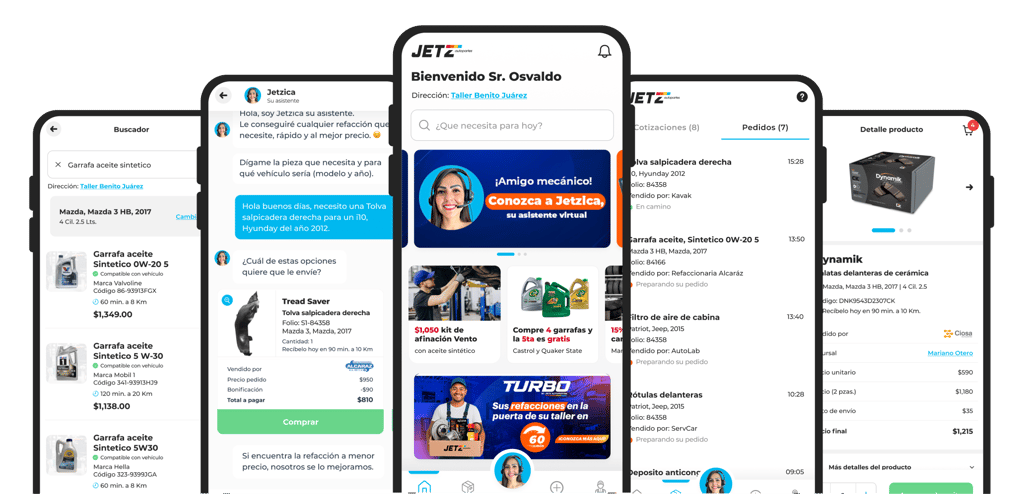


Project overview
Workshops often struggle to source spare parts on time, relying mainly on nearby suppliers with limited availability and long delivery times. These delays directly impact their ability to complete repairs and meet customer expectations.
This mobile app was designed to give workshops faster access to spare parts, streamline communication through chat, and provide clear visibility over quotations, orders and deliveries.




Objetives &
platform scope
This phase focused on defining clear objectives and a well-structured platform scope to ensure the product addressed real workshop needs while remaining scalable and efficient for daily use.
Project goals
- Enable workshops to order spare parts directly from mobile.
- Centralize communication, quotations and orders through chat.
- Provide real-time order tracking and purchase history
- Support recurring purchases and promotions.
App scope
The app focuses on daily operational needs for workshops, prioritizing speed, clarity and trust.
Core modules
Workshop registration
Customer support chat
Quotations and orders
Product search and promotions
Order tracking and invoicing




The design process
The design process focused on understanding workshop workflows, purchasing behaviors and communication needs, translating insights into a clear and efficient mobile experience.
Research & insights
Stakeholder meetings and user interviews were conducted to understand how workshops request parts, communicate with suppliers and manage orders from their phones.
Key insights
Workshops rely heavily on chat to request parts
Speed and clarity are critical during working hours
Order status visibility builds trust
Reordering should be effortless
Speed over customization
Mobile-first flows optimized for quick actionsReduce cognitive load
Simple navigation and focused screensOne task, one focus
Each screen supports a single primary actionClear system feedback
Order status, confirmations and delivery updates
Design principles



User flows & system structure
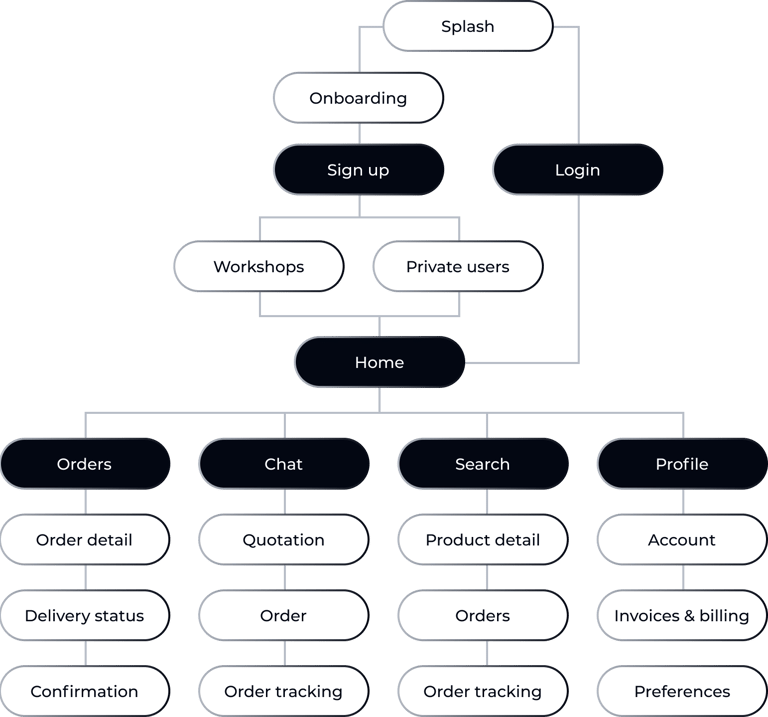
User flows and system structure were defined to support the most frequent workshop tasks—requesting spare parts, approving quotations and tracking deliveries—while keeping interactions simple and mobile-first.
These flows informed the wireframe structure and interaction patterns across the app.
Primary entry points
Customer support chat
Product search
Active orders
Secondary areas
Promotions
Invoices
Profile & settings
Core user flows
Chat-based ordering
The main flow allows workshops to request spare parts through chat, receive quotations and place orders without switching contexts.
Product search & ordering
An alternative flow for users who already know what they need and want to order quickly.
Order tracking & follow-up
A dedicated flow to provide visibility and confidence after purchase.
Wireframes
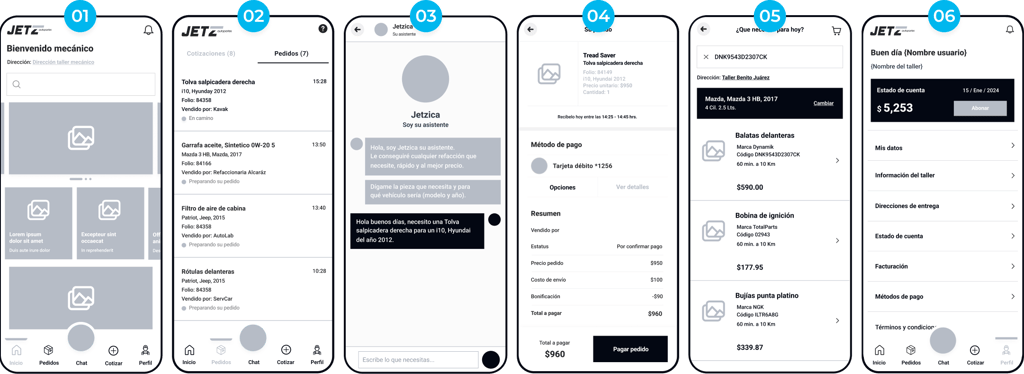
Low-fidelity wireframes were created to validate structure, navigation and core user flows before moving into visual design. The focus was on speed, clarity and real workshop usage scenarios.
01
Home
Central hub providing quick access to chat, active orders, search and promotions.
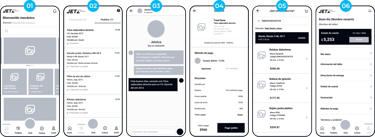
02
Quotations & orders
Centralized list to review quotations, confirm orders and track their status.
05
Order tracking
Clear order status and delivery progress in one place.
06
Profile & settings
Manage account information and access invoices without interrupting core tasks.
03
Chat-based ordering
Request parts, receive quotations and place orders through a single conversation.
04
Product search ordering
Quick search and direct ordering for users who already know what they need.
UI Design & Visual System
The visual system supports fast-paced workflows while keeping interfaces clear and easy to scan. Design decisions focus on consistency, efficiency and user confidence during daily operations.
Speed over customization
Fast execution over complex settings.
Design principles
Reduce cognitive load
Simple layouts, clear priorities.
One task, one focus
One action per screen.
Clear system feedback
Visible states and confirmations.


Visual system foundations
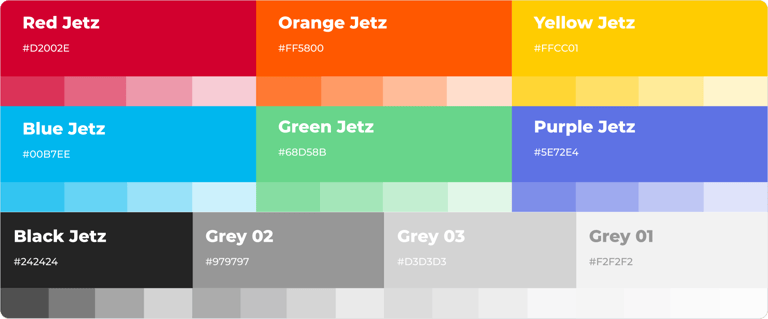
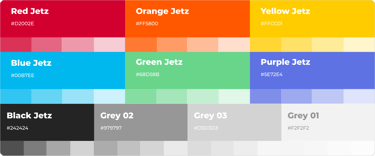
Colors & hierarchy
A neutral palette with accent colors to guide attention, highlight actions and communicate system states.
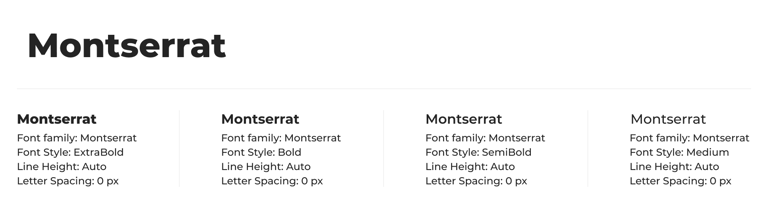
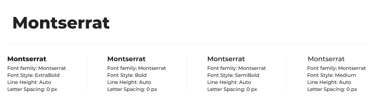
Typography & readability
Typography choices focus on readability and information density, supporting long operational sessions.
The visual system foundations focus on clarity, consistency and scalability, enabling complex workflows to remain clean, readable and easy to use.
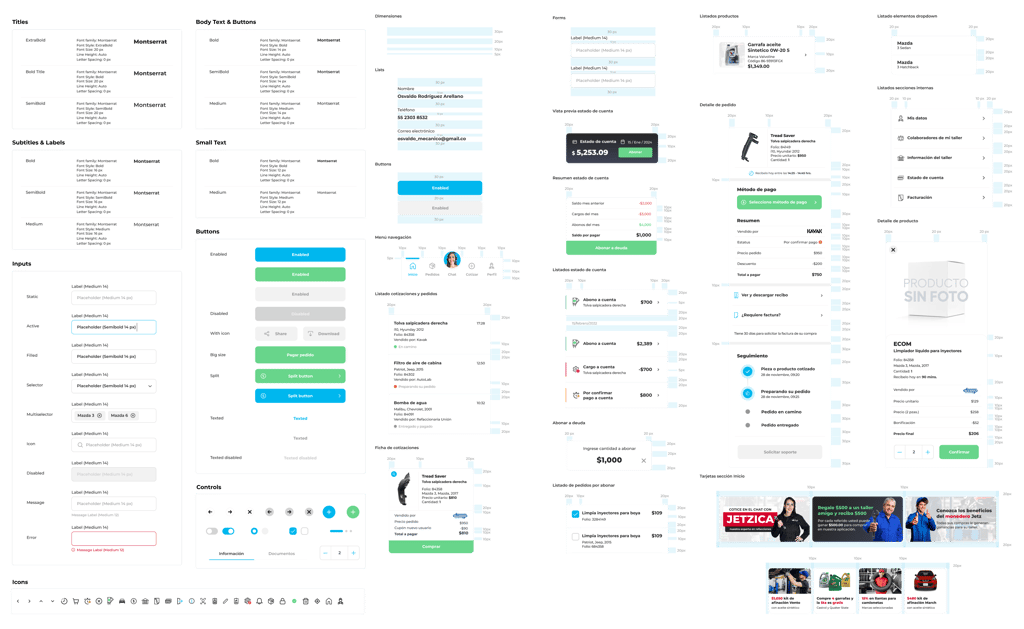
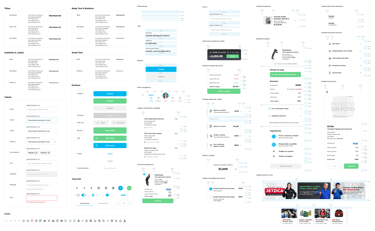
Components & UI patterns
A modular component system ensures consistency and scalability across the platform.
Key screens
The following screens showcase how workshops interact with the app in their day-to-day work, focusing on speed, clarity and real workflows to help users request spare parts, manage orders and stay on track without friction.
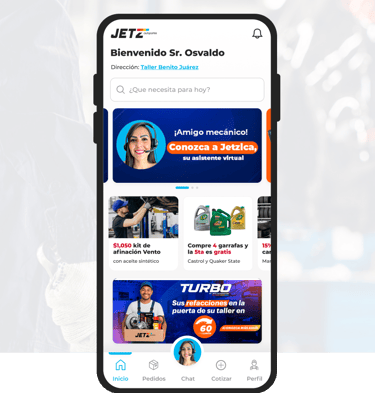
Home Screen
Central access point to chat, active orders, search and promotions, prioritizing the most frequent actions.
Each screen was designed around one primary task, reducing friction and cognitive load across the app.
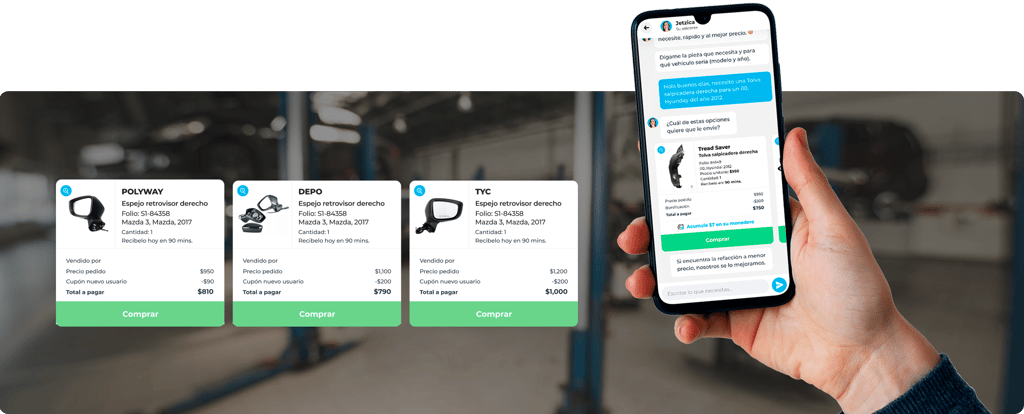
Chat-based ordering
Orders & tracking
Real-time visibility of order status and delivery progress to reduce uncertainty and delays.
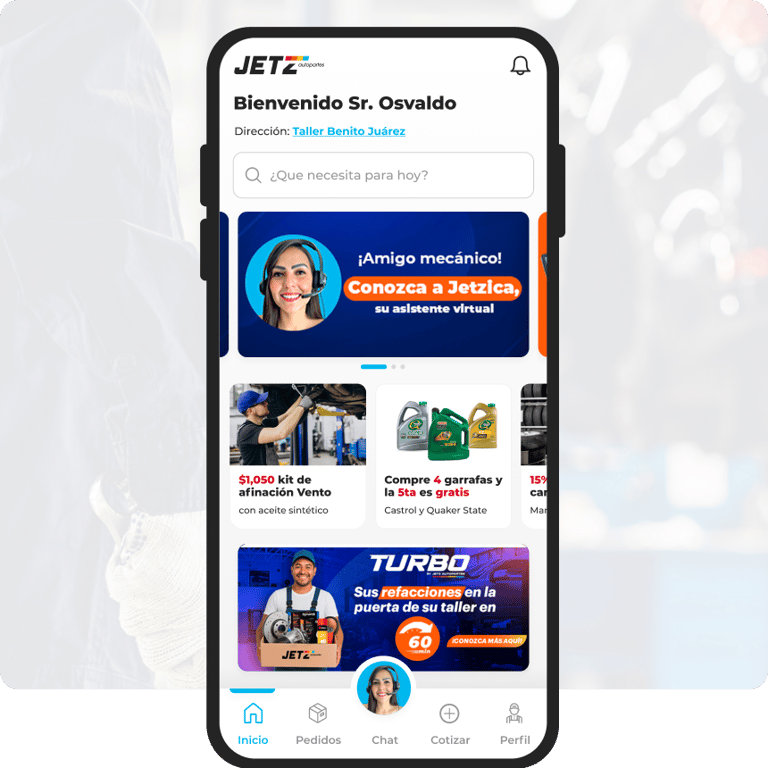
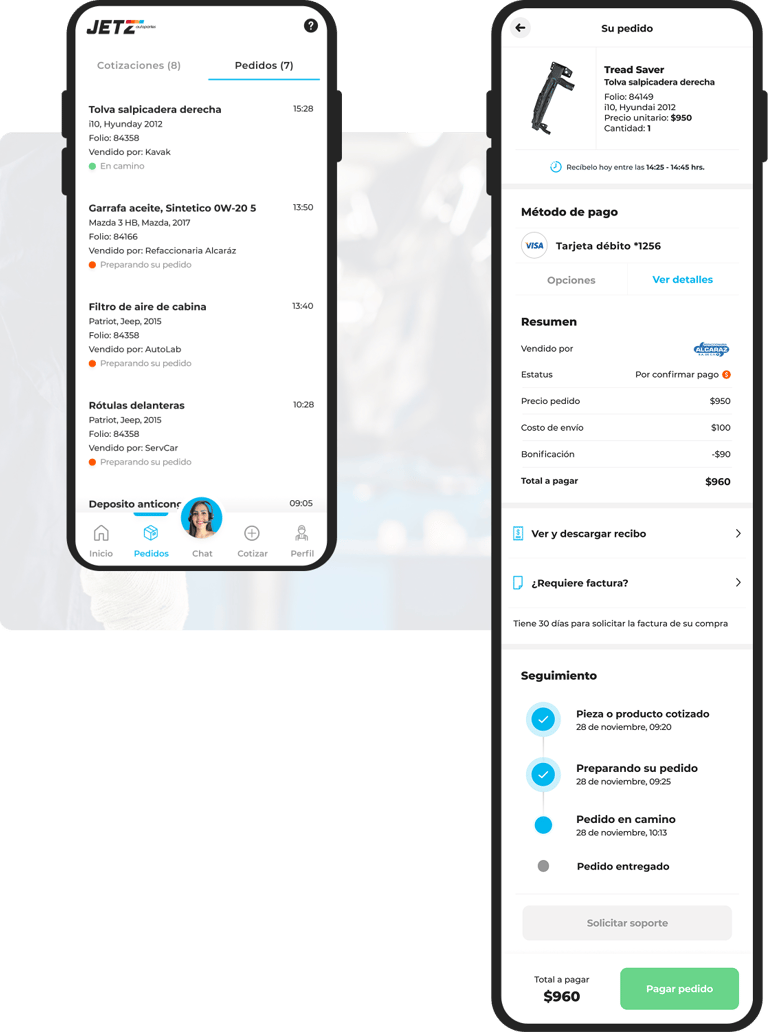




The main navigation provides quick access to Home, Orders, Chat, Search and Profile, enabling fast task switching without losing context.

The core experience where users request spare parts, receive quotations and confirm orders in one conversation.
Clear quotation details with a single primary action to approve and continue the order flow.
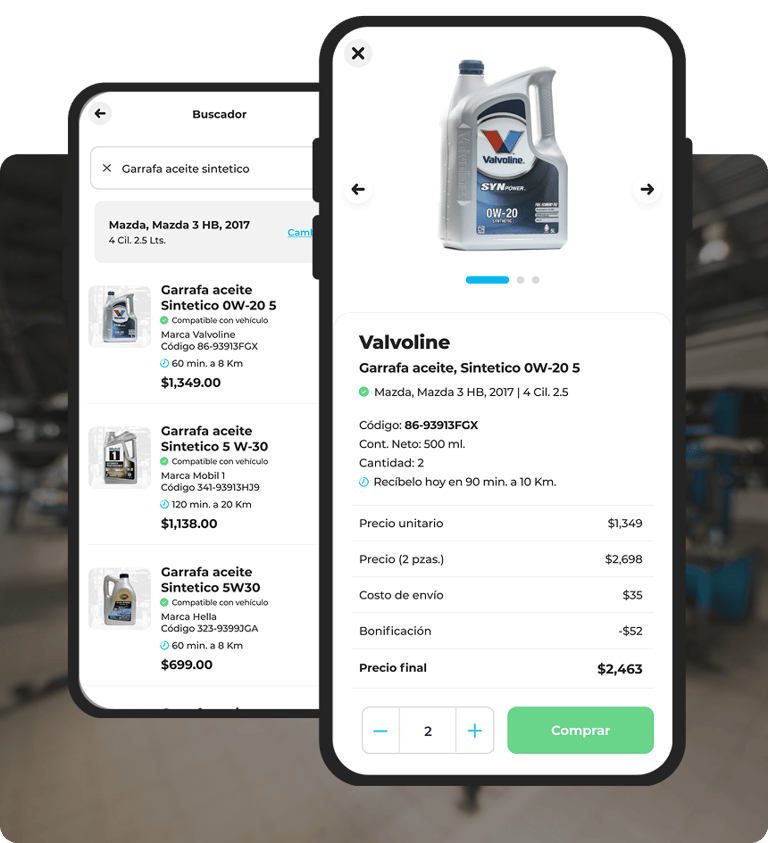
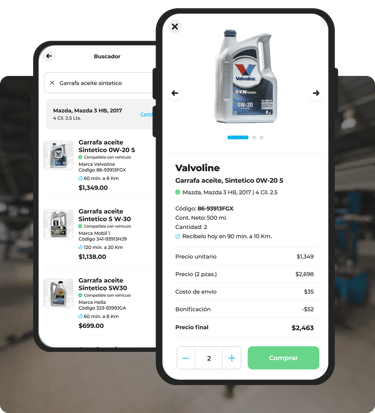
Product search / detail
Fast product discovery with clear results and direct access to ordering.
Essential information only, designed to support quick decision-making.


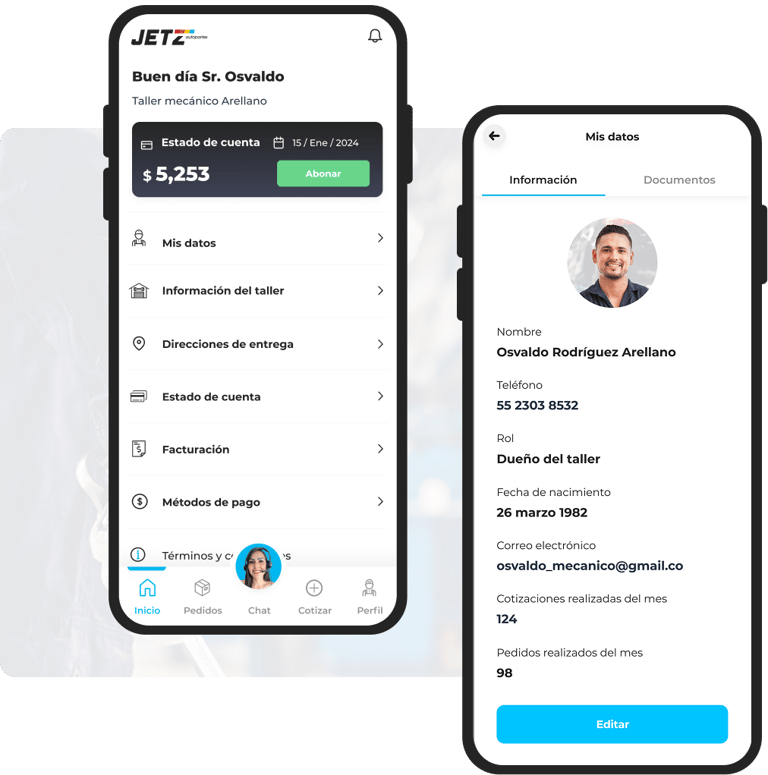
User profile
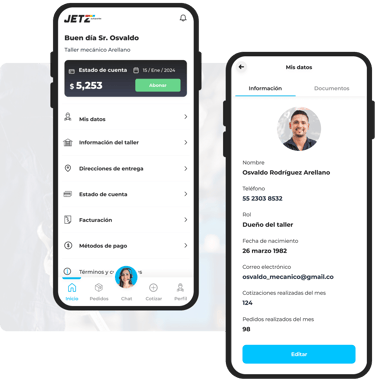
Centralized space to manage user information, workshop details, payment methods, billing and general settings.
Impact & Results
After implementation, the product helped workshops work faster, reduce delays and gain better visibility across quotations, orders and deliveries.


Operational improvements
Quotation requests and order processing became faster by centralizing communication and reducing manual steps.
Better user experience
Clear flows and focused screens reduced confusion and helped users complete tasks with more confidence.
Increased visibility & control
Order status, delivery tracking and billing information became easier to follow, reducing uncertainty for workshops and internal teams.
Business impact
The platform enabled smoother operations, improved response times and created a scalable foundation for future features and growth.
The project demonstrates how thoughtful UX and UI design can simplify complex operational workflows and create measurable impact.
Want to create something meaningful together?
Let’s talk.
Available for product UX/UI projects and collaborations with startups and small teams.